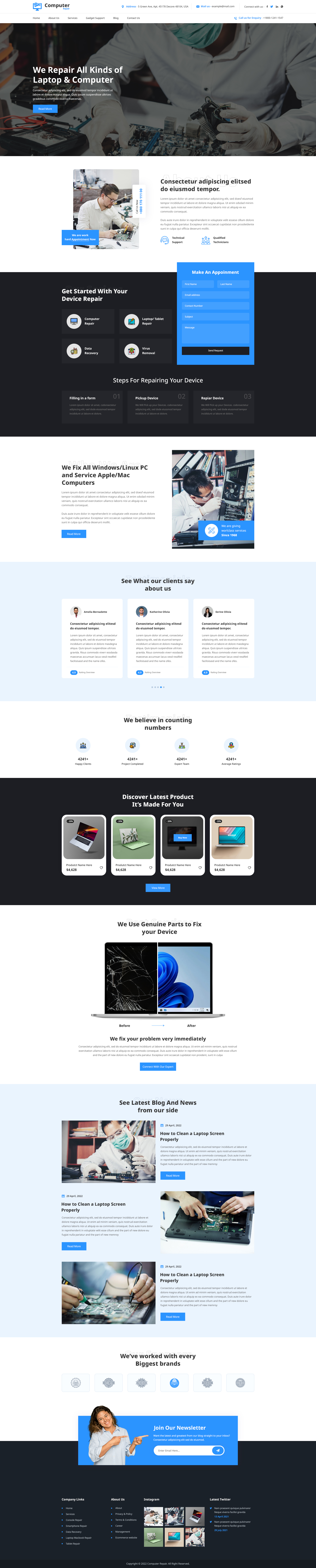


Building a website for the first time can feel like standing in front of an empty canvas with no idea where to place the first brushstroke. Many people feel stuck because they don’t know how to structure their pages using the right tools. This is where page builders for WordPress web page templates make a real difference. These tools help you design clean layouts faster without coding.
These ready-made designs act like a guiding hand. They give you a solid layout so you don’t have to guess what works and what doesn’t. Instead of spending hours adjusting spacing, aligning sections, or fixing broken designs, you can move forward with confidence.
Another major advantage is clarity. Your website pages look organized and professional right from the start. As a result, visitors find it easier to read your content and navigate your site. At the same time, you feel more relaxed because the hard structural work is already done for you.
In simple terms, templates turn a stressful task into a smooth and enjoyable process. They help you focus on sharing your message instead of fighting with design problems.
Understanding WordPress Web Page Templates
To build a strong website, you must first understand what templates actually do. WordPress web page templates are pre-designed page structures that decide how your content will appear on the screen. They control the placement of headings, images, menus, and text, so your pages stay clean and balanced instead of feeling scattered.
You can think of a template as a frame around a picture. Without a frame, the picture feels incomplete. In the same way, without a template, a web page can look messy and hard to read. Templates give shape, order, and visual flow to your website.
Another important point is flexibility. You are not locked into one rigid design. You can change colors, fonts, and section spacing while still keeping the structure intact. This makes templates useful for both beginners and experienced users.
Many people start their journey by exploring Free WordPress Themes, because they are easy to access and simple to use. At the same time, choosing Responsive WordPress Themes ensures that the design looks good on mobile phones, tablets, and desktops. Templates turn complicated page building into a guided and stress-free experience.
Why WordPress Web Page Templates Matter
A well-structured website is easier to use and easier to trust. When visitors land on a neatly arranged page, they feel comfortable and confident staying longer. This is why templates are important. They create order, improve the natural flow of content, and make your site look polished and professional without extra effort. Instead of cluttered sections and confusing layouts, everything feels balanced and easy to follow.
Key reasons they matter:
- Keep page layouts clean and organized
- Improve user navigation
- Increase loading speed
- Create design consistency
- Build user trust
- Reduce layout mistakes
In short, templates turn your website into a smooth, user-friendly space that feels reliable, organized, and simple to manage over time, especially when combined with a Dropshipping Plugin WooCommerce for seamless product management.
How to Use Page Builders to Create WordPress Web Page Templates
Using page builders makes creating templates simple and organized when you follow a step-by-step approach. Instead of struggling with design decisions, you gain more control over page structure, layout, and visual flow. This process not only saves time but also reduces errors and helps you build pages that look clean and professional.
Follow these practical steps:
- Start by installing WordPress on your hosting to build a strong foundation for your website.
- Choose and activate a theme that works smoothly with popular page builders.
- Install a page builder such as Elementor, Gutenberg, Divi, Beaver Builder, or WPBakery to unlock flexible layout tools.
- Open the page builder editor and browse the built-in library of pre-designed layouts.
- Preview different designs to understand their structure and select the one that matches your goals.
- Import the chosen layout so the page structure loads automatically.
- Customize text, images, colors, and spacing to match your brand and improve visual clarity.
- Review the page on desktop and mobile devices, and publish it once everything looks polished and balanced.
By following these steps, page builders help you design professional WordPress Web Page Templates quickly, while giving you flexibility and creative control without needing technical skills.
Top 5 Page Builders for WordPress Web Page Templates
The right tools make working with templates smoother and more efficient. These software options help you design structured pages without needing advanced coding skills.
1. Elementor

Elementor is a visual page builder that makes designing pages feel simple and natural. It offers ready-made layouts that you can edit using drag-and-drop tools. You can adjust spacing, colors, and fonts in real time, which makes it easier to see changes instantly. It is especially helpful for beginners because it removes the fear of breaking the layout. Elementor is widely used to design web page templates quickly without coding. Overall, it provides freedom while still keeping your design organized and stable.
2. Gutenberg

Gutenberg is the built-in editor in WordPress that uses blocks to build pages. It focuses on speed and simplicity, helping users create layouts without extra plugins. You can add sections such as text, images, and buttons easily. The layouts stay clean because of its lightweight structure. Gutenberg is commonly used to create clean and structured web page using a simple block-based system. It is perfect for users who want a fast and stable editing experience.
3. Divi Builder

Divi Builder gives you strong design control with powerful visual editing tools. It provides professionally designed layouts that you can easily customize. You can edit content directly on the page and instantly view the changes. It also supports visual effects that make pages look modern. Divi Builder is popular for designing visually rich templates with flexible drag-and-drop editing. At the same time, it keeps the structure balanced, making it suitable for creative and business websites.
4. Beaver Builder

Beaver Builder focuses on stability and clean performance. It offers structured layouts that load quickly and remain lightweight. You can reuse sections and save layouts for future pages. The interface is simple to understand, which makes it ideal for long-term projects. Beaver Builder is often chosen to build fast, stable designs with clean and reusable layouts. It works smoothly with most themes.
5. WPBakery

WPBakery allows you to create layouts using both front-end and back-end editors. It provides pre-designed sections that you can insert quickly, reducing the time needed to create pages. It also supports sliders, galleries, and media-rich layouts. WPBakery is widely used to develop customizable WordPress web page templates using pre-designed content elements. It works well with many WordPress themes.
Common Mistakes to Avoid
Even the best page builders for Templates can lose their effectiveness if they are not used correctly. A few small mistakes while working with page builder tools can make your website feel slow, cluttered, or hard to navigate. When you understand what to avoid, your pages stay clean, structured, and visually balanced.
Here are the most common mistakes users make when using page builders:
- Overloading pages with too many widgets, sections, images, or videos, which makes the layout feel heavy and crowded.
- Using inconsistent fonts, colors, and spacing, which breaks visual harmony.
- Ignoring mobile and tablet previews inside the page builder.
- Skipping regular updates for themes and page builder plugins.
- Adding too many heavy add-ons that slow down page speed.
- Not testing page performance before publishing layouts.
Avoiding these mistakes helps page builders perform at their best when creating WordPress Web Page Templates. When pages load quickly, visitors feel more comfortable and stay longer. A clean layout improves navigation and builds trust. This is especially important when you want to create a blog page on WordPress, as a well-structured layout ensures your posts are easy to read, navigate, and engage with.
Comparison of Top 5 WordPress Page Builders
|
Tool Name |
Ease of Use |
Customization Level |
Best For |
Speed Performance |
|
Elementor |
Very Easy |
High |
Beginners and designers |
Fast |
|
Gutenberg |
Easy |
Medium |
Simple blogs and pages |
Very Fast |
|
Divi Builder |
Medium |
Very High |
Creative and business sites |
Fast |
|
Beaver Builder |
Easy |
Medium |
Clean and stable websites |
Very Fast |
|
WPBakery |
Medium |
High |
Feature-rich layouts |
Medium |
These top 5 page builders mainly differ in design flexibility, speed, and ease of customization. Some tools focus on lightweight performance, while others offer advanced design freedom. Considering the right WordPress web page template builder depends on your skill level and website goals. In the long run, a strong page builder makes template creation easier, faster, and more reliable.
Conclusion
WordPress web page templates play a key role in building a strong and reliable website. They give you a ready-made structure that keeps your pages organized, visually balanced, and easy to manage. Instead of struggling with design from the ground up, you save time and work more efficiently.
Using powerful page builders makes working with WordPress much easier. These tools give you full control to design, edit, and publish professional layouts without technical complexity. Over time, this helps your website grow, attract more visitors, and create a better user experience. Learning how to upload a theme to WordPress ensures that you can apply these templates correctly, making your website easier to maintain and more effective in the long run.
Frequently Asked Questions (FAQs)
1. What are WordPress web page templates used for?
WordPress templates are used to create consistent, well-structured page layouts that improve both design quality and user experience without requiring manual coding.
2. Which page builder is best for beginners?
Elementor and Gutenberg are great for beginners because they offer simple controls and ready-to-use layouts.
3. How do WordPress templates affect website performance?
High-quality templates are optimized for speed and clean code, which helps improve page load time and overall website performance.
4. Can templates be used with page builders?
Most modern WordPress templates are fully compatible with popular page builders, making customization easier and more flexible.
5. Do page builders slow down WordPress websites?
Well-optimized page builders like Gutenberg and Beaver Builder are built for speed and minimal performance impact.