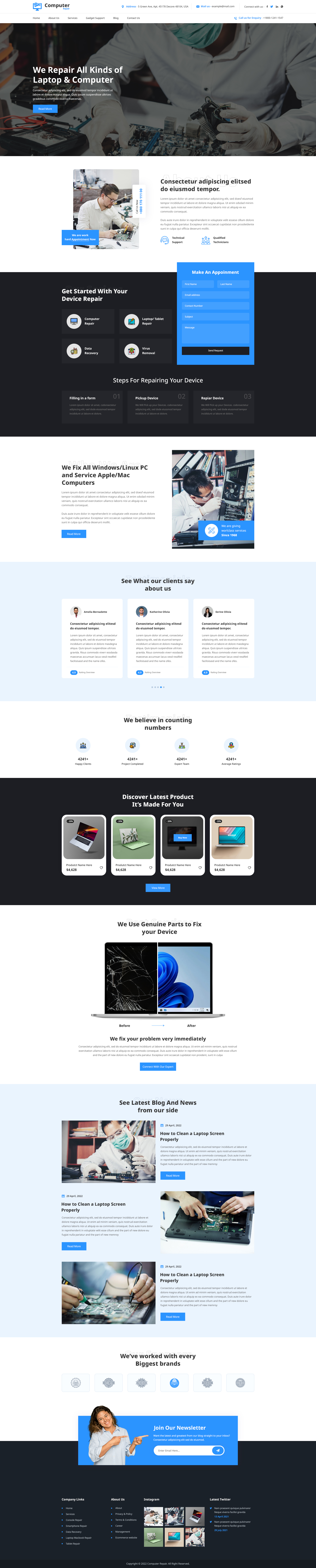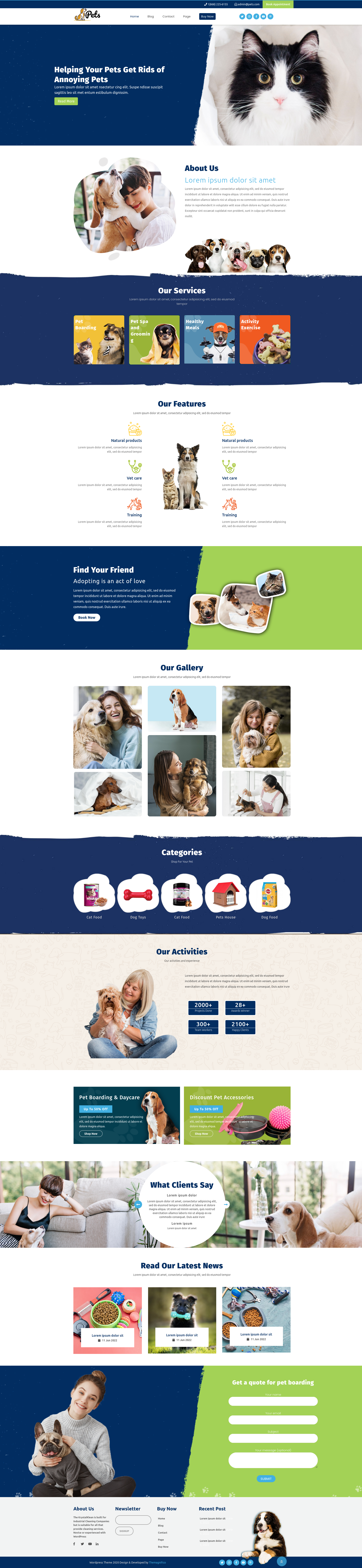


Landing pages are one of the most effective ways to convert visitors into customers, subscribers, or leads. Unlike a regular website page, a landing page focuses on a single goal, whether it's promoting a product, collecting email addresses, or encouraging users to sign up for a service. If designed correctly, it can improve conversions, reduce distractions, and help businesses achieve better marketing results.
The good news is that you don't need advanced coding knowledge to build a professional landing page in WordPress. With the right most popular WordPress themes , page builder, and design approach, you can create a visually appealing and high-converting page within a few hours. This guide explains everything you need to know, from choosing the right tools to publishing an optimized landing page that attracts visitors and drives conversions.
Types of Landing Pages
Before building your page, it's important to understand which type suits your business goals.
Lead Generation Landing Pages
Designed to collect visitor information through forms.
Common examples include:
- Newsletter signup
- Free consultation
- Ebook download
- Webinar registration
Click-Through Landing Pages
These pages educate visitors before directing them toward a purchase page.
They are commonly used by:
- SaaS companies
- Online stores
- Digital service providers
Sales Landing Pages
Focused entirely on selling one product or service with persuasive copy, testimonials, pricing, and clear calls-to-action.
Event Landing Pages
Perfect for promoting webinars, conferences, workshops, or product launches.
Coming Soon Pages
Used before launching a website or new product while collecting email subscribers.
Steps to Create a Landing Page Without Coding
Creating a professional landing page in WordPress no longer requires coding skills. With modern drag-and-drop page builders and customizable themes, you can design a high-converting page in just a few steps. Whether you want to generate leads, promote a product, or grow your email list, WordPress offers all the tools you need to build a responsive and SEO-friendly landing page. Let's explore the complete process in detail.
Step 1: Install WordPress and Choose the Right Theme
The first step to creating a successful landing page in WordPress is installing WordPress and selecting a high-quality theme. Your theme affects your site's speed, design, user experience, and overall conversion rate. A lightweight and responsive theme creates the perfect foundation for your landing page.
How to Install WordPress
Most hosting providers offer a one-click WordPress installation, making the setup process quick and beginner-friendly.
Follow these simple steps:
- Choose a reliable hosting provider.
- Use the one-click WordPress installation option.
- Create your administrator username and password.
- Configure basic website settings like site title and permalink structure.
- Install a landing-page-friendly theme.
- Add essential plugins for SEO, security, and page building.
How to Choose the Best WordPress Theme
Not every theme is designed for landing pages. Many blogging themes include unnecessary sidebars and navigation menus that distract visitors. Instead, select a clean and conversion-focused theme.
Here are the features to look for:
-
Landing Page-Focused Design: Choose a theme with minimal navigation, clean layouts, hero sections, and built-in call-to-action areas to keep visitors focused.
-
Compatibility with Page Builders: Ensure your theme works smoothly with drag-and-drop builders like Elementor, SeedProd, or Beaver Builder.
-
Fast Performance: A lightweight theme improves loading speed, which helps both SEO and user experience.
-
Flexible Layouts: Choose Seo optimized WordPress themes that provide multiple homepage layouts, customizable sections, and ready-made templates.
- Easy Customization: Look for themes that allow you to change fonts, colors, spacing, and page layouts without editing code.
Recommended Theme
If you're creating a landing page for a beauty, skincare, cosmetic, or fashion business, the Responsive WordPress Themes is a great choice. It includes responsive layouts, WooCommerce compatibility, SEO-friendly coding, customizable homepage sections, and modern design elements that make it easier to create attractive landing pages.
Key Takeaway: Installing WordPress is simple with one-click hosting. Choosing a lightweight, responsive, and conversion-focused theme creates a solid foundation for your landing page in WordPress.
Step 2: Install a Landing Page Builder Plugin
The next step is installing a page builder plugin. A page builder gives you complete drag-and-drop control, allowing you to design professional pages visually without writing a single line of code. A good builder also provides ready-made templates, marketing elements, and responsive editing tools.
How to Install a Landng Page Builder Plugin
Follow these steps:

- Open your WordPress Dashboard.
- Go to Plugins → Add New.
- Search for your preferred page builder.
- Click Install Now.
- Select Activate.
- Open the builder from the dashboard.
- Choose a landing page template and begin editing.
Popular page builders include:

- Elementor
- SeedProd
- Beaver Builder
- Brizy
- Thrive Architect
Most builders include pre-designed blocks such as testimonials, pricing tables, countdown timers, contact forms, image galleries, and CTA buttons.
Key Takeaway: Installing a quality page builder makes designing a professional landing page in WordPress faster, easier, and completely code-free.
Step 3: Create a New Landing Page
Once your page builder is installed, it's time to create a blank page that will become your landing page. Starting with a blank canvas allows you to remove unnecessary elements and focus entirely on your marketing objective.
Steps to Create Your Page
- Log in to your WordPress dashboard.
- Navigate to Pages → Add New.
- Enter a descriptive page title.
- Click Edit with Elementor or your preferred page builder.
- Select a pre-designed landing page template or start from scratch.
Keep your page focused on one objective, such as collecting leads, selling a product, or promoting an event.
Key Takeaway: Creating a dedicated landing page in WordPress helps eliminate distractions and keeps visitors focused on completing a specific action.
Step 4: Design Your Landing Page
Now comes the most exciting part designing your page. An effective landing page should be visually appealing, easy to navigate, and built around a single conversion goal.
Best Practices for Designing Your Landing Page
-
Choose a Professional Template: Select a clean template that matches your business niche and marketing campaign.
-
Write a Strong Headline: Your headline should immediately explain the main benefit of your offer.
- Add High-Quality Images: Use relevant product images, illustrations, or videos that support your message and build trust.
Include Clear Call-to-Action Buttons
Place CTA buttons strategically throughout the page using action-oriented text like:
- Get Started
- Download Now
- Book a Demo
- Shop Now
Remove Distractions
Hide unnecessary navigation menus, sidebars, and footer links so visitors stay focused on your primary goal.
Optimize for Mobile Devices
Ensure your design looks perfect on smartphones and tablets, as mobile users account for a significant share of website traffic.
Key Takeaway: A well-designed landing page in WordPress combines attractive visuals, persuasive copy, and clear calls-to-action to maximize conversions.
Step 5: Add Forms and Call-to-Action Buttons
Forms and CTA buttons are the most important conversion elements on any landing page. They encourage visitors to take action and help you collect valuable leads.
How to Create Effective Forms
- Keep forms short and simple.
- Only ask for essential information.
- Use clear field labels.
- Place forms above the fold whenever possible.
Create High-Converting CTA Buttons
Your CTA should use action-driven language.
Examples include:
- Start Free Trial
- Get Instant Access
- Download the Guide
- Request a Quote
- Subscribe Today
Use contrasting colors to make buttons stand out while maintaining your overall brand design.
Key Takeaway: Adding optimized forms and compelling CTA buttons significantly improves the conversion rate of your landing page in WordPress.
Step 6: Optimize for Speed and SEO
A beautiful landing page is ineffective if it loads slowly or fails to appear in search results. Optimizing both speed and SEO ensures better rankings, higher traffic, and improved user experience.
Tips to Improve Speed
- Use a lightweight theme.
- Compress images before uploading.
- Install a WordPress caching plugin.
- Enable browser caching.
- Use a Content Delivery Network (CDN).
- Minimize unnecessary plugins.
SEO Best Practices
- Write an SEO-friendly page title.
- Add a compelling meta description.
- Use your target keyword naturally.
- Structure content using H2 and H3 headings.
- Add image alt text.
- Improve internal linking.
- Optimize URLs for readability.
Tools like Google PageSpeed Insights and GTmetrix can help identify performance improvements.

Key Takeaway: Optimizing your landing page in WordPress for speed and search engines improves visibility, user experience, and conversion rates.
Step 7: Publish Your Landing Page
After reviewing your design and content, you're ready to launch your page.
Final Publishing Checklist
- Click Publish from your page builder.
- Check the page URL for readability.
- Preview the page on desktop, tablet, and mobile devices.
- Test all buttons and contact forms.
- Verify images and videos display correctly.
- Connect analytics and conversion tracking.
- Share your landing page through email campaigns, social media, and paid advertisements.
Even after publishing, continue monitoring performance and make improvements through A/B testing and analytics.
Key Takeaway: Publishing your landing page in WordPress is just the beginning. Regular testing, optimization, and updates help increase conversions and deliver better long-term marketing results.
Conclusion
Creating a landing page in WordPress is easier than ever, thanks to modern page builders, responsive themes, and beginner-friendly tools. You don't need coding skills to design a professional page that attracts visitors and increases conversions. By choosing the right WordPress theme, using a reliable page builder, adding strong call-to-action (CTA) buttons, optimizing for SEO, and improving website speed, you can build a landing page that delivers real results.
Remember to keep your design simple, mobile-friendly, and focused on one goal. Regularly test and update your page to improve performance and user engagement. Whether you're promoting a product, collecting leads, or growing your business, a well-designed landing page in WordPress can help boost traffic, improve search engine rankings, and turn more visitors into loyal customers.
Frequently Asked Questions (FAQs)
1. What are the essential elements of a high-converting landing page?
A successful landing page should include a compelling headline, engaging visuals, clear value proposition, strong call-to-action (CTA), lead capture form, customer testimonials, trust badges, and mobile-friendly design. These elements help build trust and encourage visitors to take action.
2. How can I improve the SEO of my landing page?
To optimize your landing page for search engines, use relevant keywords naturally, create an SEO-friendly title and meta description, optimize images with alt text, improve page speed, use proper heading tags (H2 and H3), and include internal links. Publishing high quality, user-focused content also improves search visibility.
3. How can I make my landing page load faster?
You can improve loading speed by choosing a lightweight theme, compressing images, enabling caching, using a Content Delivery Network (CDN), minimizing unnecessary plugins, and selecting reliable web hosting. Faster pages provide a better user experience and can improve search engine rankings.
4. What is the difference between a homepage and a landing page?
A homepage introduces your website and provides links to different sections, while a landing page is designed with one specific goal, such as generating leads or driving sales. A landing page removes distractions and focuses visitors on completing a single action.
5. Should a landing page be mobile-friendly?
Yes. Since a large percentage of website visitors browse on smartphones and tablets, your landing page should be fully responsive. A mobile-friendly design improves usability, reduces bounce rates, and helps increase conversions.
6. How do I know if my landing page is successful?
Track key performance metrics such as conversion rate, bounce rate, page load speed, average session duration, and form submissions using tools like Google Analytics and Google Search Console. Regular A/B testing and performance analysis can help you optimize your landing page for better results over time.